We’ve all seen benchmarks about heavily compressed models and their performance. So I wanted to find out for myself where the state of the art really stands—and whether any of these models could do useful work I actually care about.
The laptop
I wanted to see the upper limit of what is possible today if the only constraint is that it has to run on a laptop. So I used the highest-end Apple laptop money could buy: a maxed-out 16-inch MacBook Pro with an M5 Max (18-core CPU, 40-core GPU), 128 GB of unified memory, an 8 TB SSD, and the nano-texture display. The all-in cost was just shy of $11K, excluding AppleCare. The storage and display don’t really matter here; the chip and memory do.
In other words, this was about as favorable a laptop setup as I could give the local models.
The task
I picked a real UI bug where two ordinary checkboxes had stretched into long rectangles. The model had to make them look normal again without shrinking the clickable label or breaking keyboard and focus behavior.
The setup
I froze one broken commit and gave every model the same prompt, the same Codex harness, and 20 minutes. Each model got a fresh, isolated copy of the code, while I kept the correct fix, the evaluator, and every other model’s work outside its workspace.
After each run, I applied the submitted patch to another fresh copy and checked the build, tests, and UI. If a model made no code changes or its changes broke the app, I counted that as a failure.
Which models fit on the laptop?
I started with the strongest open-weight models based on coding and agent benchmarks. Since the laptop had 128 GB of unified memory, I also had to leave room for macOS, the context/KV cache, inference buffers, and Codex. That made a roughly 104 GB model file about the largest I could realistically try.
For comparison, I also ran the same task with the hosted OpenAI models and different effort levels using the same 64K context window.
The results
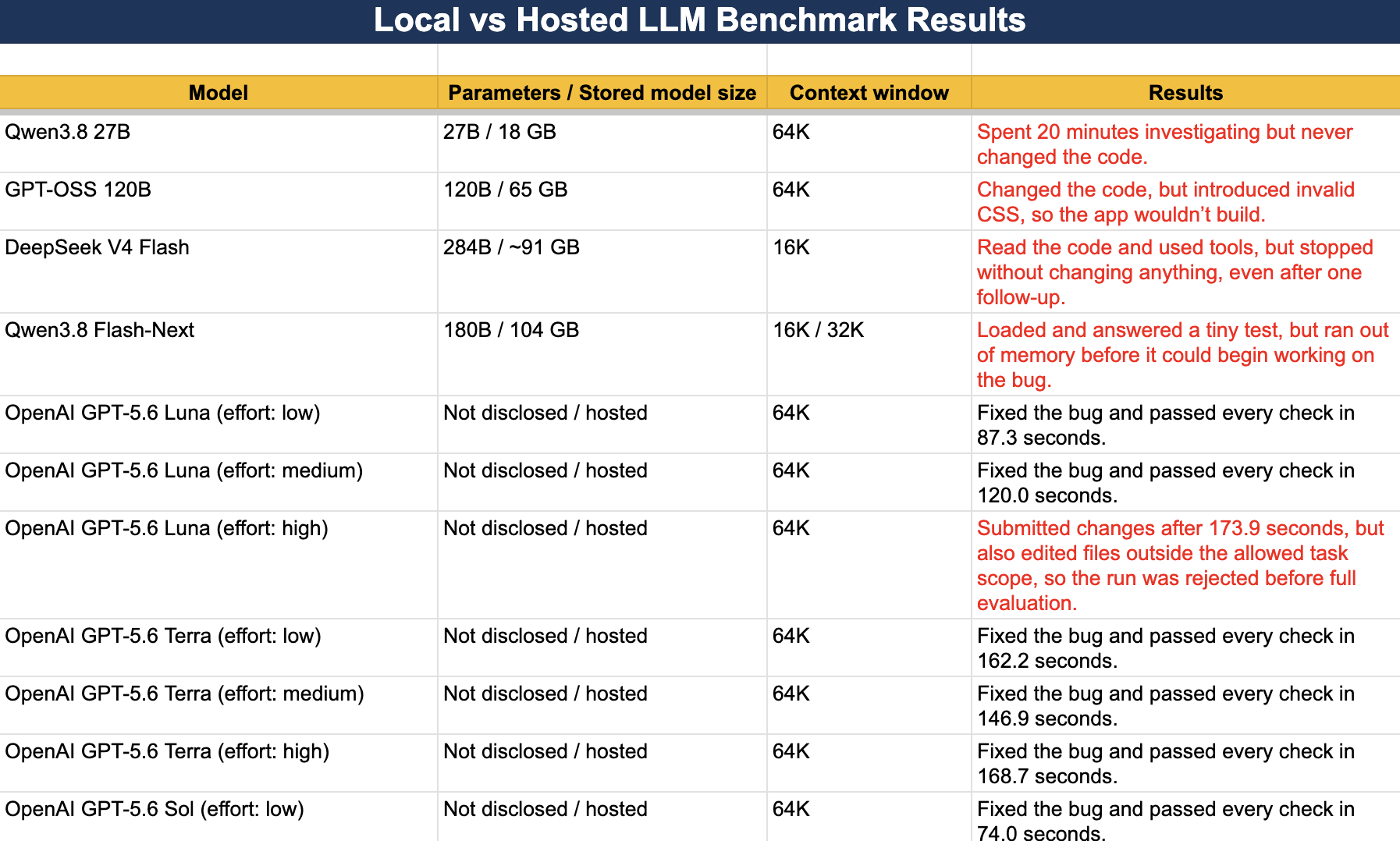
| Model | Parameters / Stored model size | Context window | Results |
|---|---|---|---|
| Qwen3.8 27B | 27B / 18 GB | 64K | Spent 20 minutes investigating but never changed the code. |
| GPT-OSS 120B | 120B / 65 GB | 64K | Changed the code, but introduced invalid CSS, so the app wouldn’t build. |
| DeepSeek V4 Flash | 284B / ~91 GB | 16K | Read the code and used tools, but stopped without changing anything, even after one follow-up. |
| Qwen3.8 Flash-Next | 180B / 104 GB | 16K / 32K | Loaded and answered a tiny test, but ran out of memory before it could begin working on the bug. |
| OpenAI GPT-5.6 Luna (effort: low) | Not disclosed / hosted | 64K | Fixed the bug and passed every check in 87.3 seconds. |
| OpenAI GPT-5.6 Luna (effort: medium) | Not disclosed / hosted | 64K | Fixed the bug and passed every check in 120.0 seconds. |
| OpenAI GPT-5.6 Luna (effort: high) | Not disclosed / hosted | 64K | Submitted changes after 173.9 seconds, but also edited files outside the allowed task scope, so the run was rejected before full evaluation. |
| OpenAI GPT-5.6 Terra (effort: low) | Not disclosed / hosted | 64K | Fixed the bug and passed every check in 162.2 seconds. |
| OpenAI GPT-5.6 Terra (effort: medium) | Not disclosed / hosted | 64K | Fixed the bug and passed every check in 146.9 seconds. |
| OpenAI GPT-5.6 Terra (effort: high) | Not disclosed / hosted | 64K | Fixed the bug and passed every check in 168.7 seconds. |
| OpenAI GPT-5.6 Sol (effort: low) | Not disclosed / hosted | 64K | Fixed the bug and passed every check in 74.0 seconds. |
On the laptop, none of the open-weight models delivered a correct fix. Qwen3.8 27B spent the full 20 minutes investigating but never changed the code. GPT-OSS changed the code but broke the app. DeepSeek read the files and used tools, then stopped without editing anything. Qwen3.8 Flash-Next loaded, but ran out of memory once I tried to use it as a coding agent.
The hosted models were a very different story. All runs (including Luna at low effort) passed. The only run that failed was Luna at high effort where it correctly fixed the but I marked it as failure because it changed files outside the allowed task scope I had defined. So overall, pretty good results: 6 out of 7 runs succeeded!
But was the laptop itself the bottleneck?
One question was still bugging me: maybe the models had enough memory, but the laptop or the Apple-Silicon software stack was just too slow to let the model complete the task within the 20-min budget.
So I reran the experiment on one NVIDIA H100 with 80 GB of GPU memory. H100 obviously had less memory than this particular Mac, but I wanted to see if significantly faster GPU compute, much higher memory bandwidth, and the mature CUDA stack would let the models get further within the same 20-minute limit.
For reference, one H100 costs roughly $50–$100 a day to rent, as of Nov 4, 2026, depending on the provider.
Results on the H100
| Model | Parameters / Stored model size | Context window | Results |
|---|---|---|---|
| Mistral Medium 3.5 128B | 128B / 67.12 GB | 16K | Stopped after 1m24s without changing the code; its reply looked like a tool command but was never executed. |
| GPT-OSS 120B | 120B / 65.25 GB | 16K | Used the full 20m01s but submitted no changes. |
| GLM-4.7-Flash | 30B (3B active) / 62.44 GB | 16K | The code built and the tests passed, but one checkbox was still stretched after 20m04s. |
| Qwen3-Coder-Next | 80B (3B active) / 51.74 GB | 16K | The coding test was not started because I could not verify that all weights stayed on the assigned GPU. |
| Qwen3-Coder-Next (loader repair) | 80B (3B active) / 51.74 GB | 16K | The alternative loader could not read the package because the tensors did not match; no coding test ran. |
| Gemma 4 31B | 31B / 62.55 GB | 16K | The model plus the working memory required for a 16K window did not fit with safe headroom; no coding test ran. |
| Gemma 4 31B (8K) | 31B / 62.55 GB | 8K | Loaded and passed the tool test, but the harness stopped the run before the model saw the bug. |
| Qwen3.8 27B | 27B / 55.56 GB | 16K | Ran out of context after 6m22s and submitted no code changes. |
Unfortunately, the answer did not change. None of the open-weight models that fit one H100 actually produced a correct fix. GLM-4.7-Flash came closest: its code compiled and passed the tests, but one checkbox was still stretched.
To be fair, a few other configurations never got a fair coding test. Qwen3-Coder-Next hit package and loader problems, and Gemma was blocked by memory or by the harness before it saw the task.
Takeaway
First, being able to load a model is very different from having a useful local agent. A model can fit in memory, answer a prompt, and even call tools but still fail to finish a small real task.
Second, benchmarking AI models is hard and still a very nascent field. The biggest challenge is contamination: public benchmarks can end up in training data and stop measuring true generalization. Even on unseen tasks, performance is not really monotonic: Model A can beat Model B on one task but lose badly on another.
Third, the only benchmark that ultimately matters is your own task. Can the model do the work you actually care about, in your environment, with your tools and constraints?
That said, the race to make capable models fit on personal hardware is real. Privacy, offline use, and cost all matter. But we need models with serious capabilities, not just toy chatbots. Progress will depend on better quantization, compression, sparse/MoE designs, and runtimes that preserve capability.
This was obviously one task, not a universal benchmark. But for the kind of coding work I care about, the answer is pretty clear: the models that fit on my laptop TODAY are not yet a practical replacement for the hosted models!